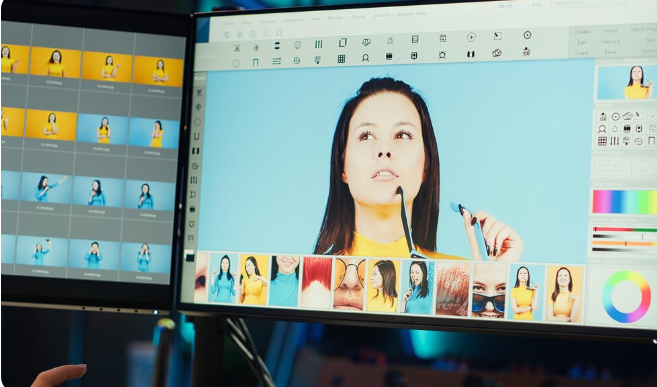
Fotografi digital telah menjadi bagian tak terpisahkan dari kehidupan modern. Menurut data Asosiasi Penyelenggara Jasa Internet Indonesia (APJII), lebih dari 85% pengguna internet Indonesia aktif mengunggah foto ke media sosial setiap harinya.
Di balik setiap foto Instagram yang memukau, konten TikTok yang viral, atau portofolio profesional yang menawan, terdapat proses editing yang mengubah jepretan biasa menjadi karya visual yang luar biasa.
Industri aplikasi edit foto mengalami pertumbuhan eksponensial dalam lima tahun terakhir. Adobe melaporkan pertumbuhan pengguna mobile editing apps mencapai 200% sejak pandemi COVID-19.
Dari fotografer profesional yang memerlukan precision tools hingga content creator yang mencari efisiensi, dari pelajar yang membuat tugas kreatif hingga pelaku UMKM yang mempromosikan produk, semua membutuhkan tools editing yang tepat.
Artikel komprehensif ini akan memandu Anda melalui rekomendasi aplikasi edit foto terbaik tahun 2026, baik untuk mobile maupun desktop, gratis maupun berbayar, untuk pemula hingga profesional.
Setiap rekomendasi disertai dengan analisis mendalam tentang fitur unggulan, kelebihan, kekurangan, dan use case terbaik untuk membantu Anda membuat keputusan tepat sesuai kebutuhan spesifik Anda.
Mengapa Memilih Aplikasi Edit Foto yang Tepat Itu Penting
Dampak Visual Quality terhadap Engagement
Penelitian dari Georgia Institute of Technology menunjukkan bahwa foto dengan kualitas editing baik mendapat engagement 94% lebih tinggi di platform media sosial seperti Instagram, Facebook, dan Twitter.
Algoritma Instagram bahkan memprioritaskan konten dengan visual quality tinggi untuk ditampilkan di Explore page, memberikan organic reach yang lebih luas.
Efisiensi Workflow untuk Content Creator
Content creator modern dituntut memproduksi konten dengan volume tinggi. Seorang influencer rata-rata memposting 1-3 konten per hari menurut survei Social Media Today. Aplikasi editing yang efisien dengan preset dan automation features dapat menghemat 60-70% waktu editing, memungkinkan creator fokus pada aspek kreatif dan strategi konten.
Profesionalisme untuk Business
Bagi pelaku bisnis, terutama di sektor e-commerce seperti seller Tokopedia, Shopee, dan Lazada, kualitas foto produk directly mempengaruhi conversion rate.
Data dari Shopify menunjukkan bahwa produk dengan foto berkualitas tinggi memiliki conversion rate 30-40% lebih baik dibanding foto standar tanpa editing profesional.
Ekspresi Kreativitas dan Personal Branding
Fotografi bukan hanya dokumentasi, tetapi media ekspresi artistik. Aplikasi editing memberikan tools untuk mewujudkan visi kreatif, dari manipulasi surreal hingga enhancement natural yang subtle.
Bagi profesional, consistent editing style menjadi signature visual yang membentuk personal branding kuat.
Aplikasi Edit Foto Mobile: Editing di Genggaman
Adobe Lightroom Mobile: Standar Industri untuk Mobile
Adobe Lightroom Mobile adalah versi mobile dari software legendaris Adobe Lightroom yang menjadi standar industri fotografi profesional.
Fitur Unggulan Adobe Lightroom Mobile:
- Non-Destructive Editing: Semua perubahan tersimpan sebagai instruction, bukan memodifikasi file original, memungkinkan Anda kembali ke versi awal kapan saja
- RAW Support: Dapat membuka dan mengedit file RAW dari kamera profesional Canon, Nikon, Sony, Fujifilm langsung di smartphone
- Selective Adjustments: Brush, gradient filter, dan radial filter untuk editing area spesifik tanpa affect keseluruhan foto
- Curve Control: Tone curve advanced untuk precise control terhadap highlights, shadows, midtones
- Preset Ecosystem: Ribuan preset gratis dan berbayar dari creator community untuk instant look
- Cloud Sync: Sinkronisasi seamless dengan Lightroom Desktop via Adobe Creative Cloud
Kelebihan Lightroom Mobile:
- Interface intuitif yang mudah dipelajari pemula namun powerful untuk profesional
- Gratis dengan fitur comprehensive (versi premium menambah cloud storage dan advanced features)
- Hasil export berkualitas tinggi dengan minimal quality loss
- Tutorial dan learning resources melimpah dari Adobe dan YouTube community
Kekurangan:
- Fitur advanced seperti healing brush dan local adjustment terbatas di versi gratis
- Memerlukan Adobe Account untuk penggunaan penuh
- File size besar untuk aplikasi mobile (200-300 MB)
Best For: Fotografer enthusiast hingga profesional yang ingin workflow mobile-to-desktop seamless, landscape photographers, portrait photographers yang fokus pada color grading dan tone adjustment.
Harga: Gratis (basic), Premium Rp140.000/bulan termasuk 1TB cloud storage dan full Creative Cloud mobile apps.
VSCO: Aesthetic Filters untuk Content Creator
VSCO (Visual Supply Company) populer di kalangan content creator, influencer, dan millennial berkat preset filters yang menghasilkan aesthetic konsisten.
Keunggulan VSCO:
- Film-Inspired Presets: Koleksi filter yang meniru look film analog klasik (Kodak, Fuji, Ilford) memberikan warmth dan character unik
- Recipe Feature: Save kombinasi adjustments sebagai recipe personal untuk maintain consistent aesthetic across posts
- VSCO Community: Platform sosial internal untuk share karya dan discover inspirasi dari creator worldwide
- Minimalist Interface: Desain clean dan intuitive fokus pada editing experience tanpa distraksi
- Advanced Editing Tools: HSL (Hue, Saturation, Luminance) adjustment per color channel untuk precise color grading
Kelebihan VSCO:
- Hasil editing terlihat natural namun elevated, tidak over-processed
- Strong community dengan millions creative inspiration
- Regular update dengan preset collections baru
- Video editing capabilities di versi terbaru
Kekurangan:
- Banyak preset terbaik locked di VSCO Membership (berbayar)
- Tidak ada layer atau advanced manipulation tools
- Export quality terkadang compressed di versi gratis
Best For: Instagram content creators, fashion dan lifestyle bloggers, millennial dan Gen Z users yang mencari consistent aesthetic feed, street photographers.
Harga: Gratis (10 preset gratis), VSCO Membership Rp280.000/tahun (200+ presets dan advanced tools).
Snapseed: Gratis Powerful dari Google
Snapseed adalah aplikasi edit foto gratis dari Google yang menawarkan professional-grade tools tanpa subscription atau watermark.
Fitur Powerful Snapseed:
- Healing & Remove Objects: Tool untuk menghapus objek tidak diinginkan, jerawat, atau blemishes dengan natural blending
- Selective Adjust: Tap untuk add control points dan adjust brightness, saturation, atau contrast pada area spesifik
- Perspective Tool: Koreksi distorsi perspektif untuk foto arsitektur dan bangunan
- HDR Scape: Membuat HDR effect yang dramatic atau subtle sesuai preferensi
- Brush Tools: Paint adjustments pada area spesifik dengan precision control
- 29 Tools dan 30 Filters: Comprehensive toolkit mencakup semua kebutuhan editing dasar hingga advanced
- Stacks dan Edit History: Lihat dan modifikasi setiap step editing yang telah dilakukan
Kelebihan Snapseed:
- Sepenuhnya gratis tanpa ads atau watermark
- Interface intuitif dengan gesture-based controls yang efficient
- Export dalam full resolution tanpa compression
- Tidak memerlukan account atau login
- File size ringan (sekitar 30-50 MB)
Kekurangan:
- Tidak ada cloud sync atau cross-device editing
- Tidak support RAW di semua device
- Kurang update feature baru (Google fokus pada Google Photos)
Best For: Pemula yang ingin belajar editing gratis, casual photographers, anyone yang tidak ingin subscription commitment, mobile-only editors.
Harga: Gratis sepenuhnya.
PicsArt: All-in-One Creative Platform
PicsArt adalah ecosystem lengkap untuk photo editing, collage making, dan graphic design dalam satu aplikasi.
Comprehensive Features PicsArt:
- AI-Powered Tools: Background remover otomatis, sky replacement, object selection menggunakan artificial intelligence
- Text and Typography: Extensive font library dengan customization options untuk membuat typography design
- Sticker Marketplace: Millions stickers gratis dan premium dari creator community
- Drawing Tools: Digital painting dan sketching tools untuk artistic expression
- Collage Maker: Template dan grid layouts untuk membuat collage menarik
- Double Exposure: Blend dua foto dengan berbagai blending modes untuk artistic effect
- Clipart Library: Cutout images library untuk composite dan creative manipulation
Kelebihan PicsArt:
- One-stop solution untuk berbagai kebutuhan creative
- Community challenges dan contests untuk motivation dan exposure
- Regular content updates (stickers, templates, fonts)
- Video editing capabilities terintegrasi
Kekurangan:
- Interface bisa overwhelming untuk pemula karena too many features
- Versi gratis penuh dengan ads yang mengganggu
- Watermark PicsArt di versi gratis
- Premium subscription relatif mahal
Best For: Social media content creators yang butuh versatility, graphic designers pemula, collage enthusiasts, users yang suka experimental editing.
Harga: Gratis (dengan ads dan watermark), Gold Membership Rp55.000/bulan atau Rp380.000/tahun.
Canva: Design dan Edit dalam Satu Platform
Meski dikenal sebagai graphic design tool, Canva telah berkembang menjadi powerful photo editor dengan AI features cutting-edge.
Canva Photo Editing Capabilities:
- Background Remover: AI-powered tool yang menghapus background dengan akurasi tinggi dalam sekali tap
- Magic Eraser: Hapus objek tidak diinginkan secara intelligent
- Photo Effects: Berbagai artistic filters dan effects untuk transform foto
- Templates for Social Media: Ribuan templates optimized untuk Instagram Stories, Facebook Posts, LinkedIn banners, dll
- Brand Kit: Simpan logo, colors, dan fonts brand Anda untuk consistent branding
- Text Animation: Animated text effects untuk Instagram Stories dan Reels
- Collaboration Features: Real-time collaboration dengan team members
Kelebihan Canva:
- Sangat user-friendly bahkan untuk complete beginners
- Seamless integration antara photo editing dan graphic design
- Cloud-based sehingga accessible dari any device
- Templates berkualitas tinggi dari professional designers
- Canva Pro offers stock photos dari Unsplash, Pexels, Pixabay terintegrasi
Kekurangan:
- Kurang precise control dibanding dedicated photo editors
- Memerlukan internet connection untuk fungsi optimal
- Advanced photo editing tools terbatas
- File management bisa messy dengan banyak design
Best For: Social media managers, small business owners, non-designers yang butuh quick professional results, team collaboration projects, content dengan heavy text dan graphics.
Harga: Gratis (fitur basic), Canva Pro Rp120.000/bulan (background remover, premium templates, brand kit).
Facetune: Spesialis Portrait Retouching
Facetune adalah aplikasi khusus untuk portrait dan selfie retouching yang menjadi favorit beauty influencers dan portrait photographers.
Specialized Features Facetune:
- Smooth Skin: Advanced skin smoothing yang natural, tidak terlihat over-edited
- Facial Reshaping: Adjust facial features seperti nose, jaw, cheeks dengan natural results
- Teeth Whitening: Whiten teeth tanpa unnatural blue tint
- Eye Enhancement: Brighten, enlarge, atau change eye color
- Makeup Application: Virtual makeup dengan berbagai lipstick, eyeshadow, blush shades
- Hair Color Change: Coba berbagai hair colors sebelum actual dyeing
- Background Blur: Bokeh effect untuk portrait-style depth of field
Kelebihan Facetune:
- Best-in-class portrait retouching results
- Natural-looking enhancements (jika digunakan dengan subtle)
- Easy to use dengan slider-based controls
- Before/after comparison slider
Kekurangan:
- Sangat niche, hanya untuk portrait/selfie
- Bisa encourage unhealthy beauty standards jika overused
- Subscription model untuk unlock semua features
- Results bisa terlihat fake jika not used carefully
Best For: Beauty influencers, portrait photographers, selfie enthusiasts, makeup artists untuk visualize looks, anyone wanting to look their best in photos.
Harga: Gratis (basic tools), Facetune VIP Rp100.000/bulan atau Rp500.000/tahun.
Pixlr: Powerful Free Alternative
Pixlr adalah free photo editor dengan capabilities mendekati desktop-grade software.
Pixlr Advanced Features:
- Layer Support: Multiple layers dengan blending modes untuk complex compositions
- Adjustment Layers: Non-destructive color and tone adjustments
- Selection Tools: Lasso, magic wand, marquee untuk precise selections
- Clone Stamp: Professional cloning tool untuk retouching
- History Panel: Extensive undo/redo dengan visual history
- AI Cutout: Intelligent background removal
- Text Effects: 3D text, curved text, text on path
Kelebihan Pixlr:
- Desktop-level power dalam mobile app
- Gratis dengan generous free tier
- Web version available untuk desktop editing
- No watermark pada exports
- Support for high-resolution images
Kekurangan:
- Steeper learning curve dibanding casual apps
- Interface kurang polished dibanding competitors
- Ads di versi gratis bisa intrusive
- Beberapa advanced features require Premium
Best For: Advanced mobile editors, users transitioning dari desktop to mobile, budget-conscious professionals, layered composite work.
Harga: Gratis (dengan ads), Pixlr Premium Rp55.000/bulan (ad-free, semua tools).
Aplikasi Edit Foto Desktop: Professional Powerhouse
Adobe Photoshop: Industry Standard untuk Professional
Adobe Photoshop adalah gold standard dalam photo editing dan digital imaging sejak diluncurkan tahun 1988.
Mengapa Photoshop Masih Unbeatable:
- Layer System: Complex layer structure dengan unlimited layers, adjustment layers, smart objects
- Content-Aware Fill: AI-powered object removal yang mengisi area dengan contextually appropriate content
- Pen Tool: Vector-based selection tool untuk pixel-perfect cutouts
- Advanced Retouching: Healing brush, patch tool, clone stamp dengan sophisticated algorithms
- Camera Raw: Powerful RAW processor terintegrasi untuk professional color grading
- Smart Filters: Non-destructive filters yang bisa diedit atau diremove kapan saja
- 3D Capabilities: Basic 3D modeling dan texturing untuk product visualization
- Extensive Plugin Ecosystem: Ribuan third-party plugins dari Nik Collection, Topaz Labs, dll
- Actions dan Automation: Record dan playback editing sequences untuk batch processing
Kelebihan Photoshop:
- Unmatched power dan flexibility untuk any imaging task
- Industry standard untuk professional work
- Massive learning resources (tutorials, courses, books)
- Constant updates dengan AI features (Neural Filters, Sky Replacement)
- Integration dengan Adobe Creative Cloud ecosystem (Lightroom, Illustrator, After Effects)
Kekurangan:
- Steep learning curve, overwhelming untuk beginners
- Subscription model yang ongoing cost (tidak bisa beli perpetual license)
- Overkill untuk simple editing tasks
- Requires powerful computer untuk smooth performance
- Harga relatif mahal untuk casual users
System Requirements:
- Windows 10 (64-bit) atau macOS 11 Big Sur ke atas
- Minimum 8GB RAM (16GB+ recommended)
- GPU dengan DirectX 12 atau Metal support
- 4GB+ storage space
Best For: Professional photographers, retouchers, graphic designers, advertising agencies, pre-press professionals, anyone needing industrial-strength imaging capabilities.
Harga: Adobe Photography Plan (Photoshop + Lightroom) Rp140.000/bulan, atau Single App Photoshop Rp340.000/bulan.
Adobe Lightroom Classic: Workflow King untuk Photographers
Lightroom Classic adalah photo management dan editing software yang dirancang khusus untuk photographer workflow.
Lightroom Classic Advantages:
- Catalog System: Manage hundreds of thousands of photos dengan tagging, rating, collections
- Non-Destructive Editing: Semua adjustments stored sebagai metadata, original files untouched
- Batch Editing: Apply adjustments ke hundreds of photos sekaligus
- Preset System: Save dan apply consistent looks dengan one-click presets
- Local Adjustments: Graduated filters, radial filters, brush adjustments untuk selective editing
- Tone Curve: Precise control over tonal range dengan curve editor
- HSL Panel: Separate control untuk Hue, Saturation, Luminance setiap color
- Print Module: Professional print layouts dan color management
- Web Gallery: Create online portfolios directly dari Lightroom
Kelebihan Lightroom Classic:
- Streamlined workflow dari import hingga export
- Excellent for managing large photo libraries
- RAW processing terbaik dengan Adobe Camera Raw engine
- Sync dengan Lightroom Mobile untuk editing on-the-go
- Non-destructive sehingga always dapat revert
Kekurangan:
- Tidak sekuat Photoshop untuk manipulation dan compositing
- Catalog system bisa confusing untuk beginners
- Requires understanding of photography fundamentals untuk optimal use
- Resource-intensive untuk large catalogs
Best For: Wedding photographers, portrait photographers, landscape photographers, photojournalists, anyone managing large photo collections, batch processing needs.
Harga: Termasuk dalam Adobe Photography Plan Rp140.000/bulan.
Affinity Photo: One-Time Purchase Alternative
Affinity Photo dari Serif adalah professional-grade photo editor yang menawarkan one-time purchase model sebagai alternative dari Adobe subscription.
Affinity Photo Unique Selling Points:
- One-Time Payment: No subscription, bayar sekali untuk lifetime license
- Professional Features: Layer system, adjustment layers, masks, blending modes comparable dengan Photoshop
- RAW Development: Powerful RAW processor dengan comprehensive controls
- Focus Stacking: Automatic focus stacking untuk macro photography
- HDR Merge: Combine multiple exposures menjadi HDR images
- Panorama Stitching: Stitch multiple photos into seamless panoramas
- Frequency Separation: Advanced retouching technique built-in
- PSD Compatibility: Open dan edit Photoshop files dengan good compatibility
Kelebihan Affinity Photo:
- Extremely affordable one-time purchase model
- Professional-grade capabilities
- Fast performance, optimized untuk Apple Silicon Macs
- No cloud dependency, works fully offline
- Regular free updates
Kekurangan:
- Smaller user community dibanding Adobe
- Fewer third-party plugins dan resources
- Beberapa advanced Photoshop features tidak ada
- Learning curve tetap significant
System Requirements:
- Windows 10 atau macOS 10.15+
- 8GB RAM minimum
- 1GB storage space
Best For: Professional photographers yang tidak ingin subscription, graphic designers, retouchers yang budget-conscious, students, hobbyists serius.
Harga: One-time purchase $69.99 (sekitar Rp1.100.000) untuk Windows atau Mac. Sering ada discount hingga 50%.
Capture One: Professional Color Grading
Capture One dari Phase One adalah favorite di kalangan professional photographers, terutama fashion dan commercial photographers, berkat superior color science.
Capture One Strengths:
- Best-in-Class Color: Color rendering yang superior dibanding competitors, terutama untuk skin tones
- Tethered Shooting: Industry-leading tethered capture untuk studio photography
- Layer-Based Adjustments: Local adjustments dengan layers untuk ultimate control
- Styles and Presets: Professional color grading styles dari renowned photographers
- Lens Corrections: Extensive lens profile library untuk automatic distortion correction
- Sessions and Catalogs: Flexible file management untuk different workflows
- Advanced Masking: Powerful masking tools dengan color range, luminosity masks
Kelebihan Capture One:
- Unmatched color accuracy and depth
- Professional tethering capabilities untuk studio work
- Excellent handling of difficult raw files (Sony ARW particularly)
- Powerful local adjustments tanpa degradation
- Regular updates dan excellent customer support
Kekurangan:
- Steep learning curve, interface kompleks
- Very expensive subscription atau perpetual license
- Resource-intensive, requires powerful computer
- Overkill untuk hobbyists atau casual editing
Best For: Fashion photographers, commercial photographers, studio photographers dengan tethered workflow, professionals yang prioritize color accuracy, high-end retouchers.
Harga: Subscription Rp390.000/bulan atau perpetual license Rp5.900.000.
GIMP: Free Open-Source Powerhouse
GIMP (GNU Image Manipulation Program) adalah free dan open-source alternative untuk Photoshop yang surprisingly powerful.
GIMP Capabilities:
- Full Layer Support: Layers, layer masks, blending modes seperti Photoshop
- Customizable Interface: Highly customizable dengan window layouts dan tool arrangements
- Extensive Tools: Selection tools, painting tools, transformation tools yang comprehensive
- Plugin Architecture: Expandable dengan plugins dan scripts
- Batch Processing: Automate repetitive tasks dengan scripts
- RAW Support: Via darktable atau RawTherapee plugins
- Format Support: Wide range of file formats including PSD (limited)
Kelebihan GIMP:
- Completely free dan open-source
- No subscription, no watermark, no limitations
- Cross-platform (Windows, Mac, Linux)
- Active community development
- Powerful untuk gratis
Kekurangan:
- Interface dated dan kurang intuitive
- Steeper learning curve dibanding paid alternatives
- Non-destructive editing terbatas
- CMYK support lemah (issue untuk print professionals)
- Performance bisa lag untuk large files
Best For: Budget-conscious users, students, open-source advocates, Linux users, hobbyists yang tidak ingin paid software, NGOs dan nonprofits.
Harga: Gratis sepenuhnya.
Luminar Neo: AI-First Photo Editor
Luminar Neo dari Skylum adalah next-generation photo editor yang menempatkan AI di center of editing experience.
AI-Powered Features Luminar Neo:
- AI Sky Replacement: Replace skies dengan realistic lighting adjustments otomatis
- AI Portrait Tools: Automatic face detection dengan skin retouching, eye enhancement, makeup application
- AI Structure: Intelligent local contrast yang enhance details without halos
- AI Background Removal: One-click background removal untuk portraits dan products
- RelightAI: Relight portraits dengan virtual light sources
- AI Upscaling: Enlarge images dengan AI-enhanced quality
- Atmosphere AI: Add fog, mist, atau haze dengan realistic blending
- Body AI: Subtle body shaping tools untuk portraits
Kelebihan Luminar Neo:
- Cutting-edge AI features yang time-saving
- User-friendly interface untuk beginners
- Good balance antara automation dan manual control
- One-time purchase atau affordable subscription
- Regular updates dengan new AI tools
Kekurangan:
- Library management kurang robust
- Bisa lambat pada older computers (AI processing intensive)
- Results terkadang too artificial jika AI tools overused
- Terbatas untuk advanced manipulation dibanding Photoshop
Best For: Landscape photographers, portrait photographers, content creators yang prioritize speed, users yang ingin powerful editing tanpa steep learning curve.
Harga: Subscription Rp150.000/bulan atau lifetime license Rp4.500.000 (sering discount).
Aplikasi Edit Foto Spesialis: Niche Solutions
Photopea: Browser-Based Photoshop Alternative
Photopea adalah web-based photo editor yang runs entirely di browser dengan interface mirip Photoshop.
Photopea Unique Position:
- No Installation Required: Runs di browser, accessible dari any device
- Photoshop-Like Interface: Familiar untuk Photoshop users
- PSD Support: Open, edit, dan save Photoshop files natively
- Layer Support: Full layer functionality dengan masks dan blending modes
- Free to Use: Completely free dengan ads, atau premium untuk ad-free
Best For: Users tanpa akses ke desktop software, quick edits when traveling, collaboration dengan non-Photoshop users, Chromebook users.
Harga: Gratis (dengan ads), Premium $5/bulan (ad-free).
Fotor: Quick Online Editor
Fotor adalah online photo editor dengan focus pada ease of use dan quick results.
Best For: Social media images, basic retouching, collages, beginners yang intimidated oleh complex software.
Harga: Gratis (basic), Pro Rp60.000/bulan.
Remove.bg: Background Removal Specialist
Remove.bg adalah specialized tool untuk AI-powered background removal dengan exceptional accuracy.
Best For: E-commerce product photos, portrait cutouts, creating transparent PNGs, batch background removal.
Harga: Gratis (low-res), Pay-per-image atau subscription untuk high-res.
Topaz Photo AI: AI Enhancement Suite
Topaz Photo AI combines noise reduction, sharpening, dan upscaling dalam satu AI-powered package.
Best For: Restoring old photos, sharpening soft images, enlarging photos untuk print, low-light photography cleanup.
Harga: One-time purchase $199 (sekitar Rp3.200.000).
Tips Memilih Aplikasi Edit Foto yang Tepat
Identifikasi Kebutuhan Anda
Untuk Social Media Content:
- Mobile-first: VSCO, Lightroom Mobile, Canva
- Speed dan efficiency: PicsArt, Canva
- Consistent aesthetic: VSCO, Lightroom presets
Untuk Professional Photography:
- Workflow dan catalog: Lightroom Classic
- Color accuracy: Capture One
- Retouching: Photoshop
- Landscape: Luminar Neo, Photoshop
Untuk E-Commerce:
- Product photos: Photoshop, Remove.bg
- Batch editing: Lightroom Classic
- Consistency: Lightroom presets
Untuk Learning:
- Beginner-friendly: Canva, Snapseed, Luminar Neo
- Professional path: Lightroom → Photoshop
- Budget-conscious: GIMP, Photopea
Budget Considerations
Free Options:
- Snapseed (mobile)
- GIMP (desktop)
- Photopea (web)
- Canva free tier
Budget-Friendly:
- Affinity Photo (one-time $70)
- PicsArt Gold (Rp380.000/tahun)
- Pixlr Premium (Rp660.000/tahun)
Professional Investment:
- Adobe Photography Plan (Rp140.000/bulan)
- Capture One (Rp390.000/bulan)
- Luminar Neo (Rp150.000/bulan)
Learning Curve vs Time Investment
Quick to Learn:
- Canva: 1-2 jam untuk productive
- Snapseed: 2-3 jam untuk master basics
- VSCO: 30 menit untuk understand presets
Moderate Learning:
- Lightroom Mobile: 5-10 jam
- Luminar Neo: 10-15 jam
- PicsArt: 5-8 jam
Significant Investment:
- Lightroom Classic: 20-30 jam untuk proficient
- Photoshop: 50-100+ jam untuk intermediate
- Capture One: 30-50 jam
Platform Compatibility
Cross-Platform Champions:
- Adobe Creative Cloud (Windows, Mac, iOS, Android, web)
- Canva (semua platforms via web/apps)
- Pixlr (multi-platform)
Apple Ecosystem:
- Affinity Photo (optimized untuk Apple Silicon)
- Pixelmator Pro (Mac only)
Windows Focused:
- Corel PaintShop Pro
- ON1 Photo RAW
Workflow Integration dan Ecosystem
Adobe Creative Cloud Ecosystem
Keuntungan menggunakan Adobe products:
- Seamless integration Lightroom ↔ Photoshop
- Cloud sync across devices
- Stock photos via Adobe Stock
- Font library via Adobe Fonts
- Collaboration via Creative Cloud Libraries
Standalone Solutions
Keuntungan non-subscription tools:
- Lower long-term cost
- No cloud dependency
- Work offline fully
- No forced updates
- Own your software
Tren Future dalam Photo Editing
AI dan Machine Learning
- Automatic subject detection dan selection
- AI-powered style transfer
- Intelligent object removal
- Content-aware fill improvements
- AI-based upscaling dan enhancement
Mobile-First Revolution
- Desktop-level power di mobile apps
- Cloud rendering untuk complex tasks
- Touch-optimized interfaces
- Mobile-desktop hybrid workflows
Collaborative Editing
- Real-time collaboration dalam editing
- Cloud-based project sharing
- Team presets dan style guides
- Version control systems
Kesimpulan
Memilih aplikasi edit foto yang tepat adalah keputusan personal yang depends pada multiple factors: skill level Anda, jenis fotografi yang Anda lakukan, budget available, platform yang Anda gunakan, dan seberapa serius komitmen Anda terhadap photo editing.
Untuk pemula dan casual users, mulai dengan free powerful options seperti Snapseed di mobile atau GIMP di desktop. Ketika Anda develop skills dan understand your needs better, Anda bisa invest dalam professional tools.
Content creators dan social media enthusiasts akan benefit paling banyak dari mobile-optimized solutions seperti VSCO, Lightroom Mobile, atau Canva yang menawarkan speed dan efficiency.
Professional photographers hampir pasti memerlukan Adobe Lightroom Classic untuk workflow management, ditambah Photoshop untuk advanced retouching, atau Capture One jika color accuracy adalah top priority.
Business owners dan e-commerce sellers harus prioritize consistency dan efficiency dengan batch editing capabilities Lightroom atau automation features Photoshop.
Yang terpenting, remember bahwa tools hanyalah alat. Photography eye, creative vision, dan understanding tentang light, composition, dan color theory jauh lebih penting daripada software yang Anda gunakan.
Master the fundamentals terlebih dahulu, kemudian biarkan software menjadi extension dari kreativitas Anda.
Start dengan free options untuk explore dan experiment, invest waktu dalam learning dan practice, dan upgrade ke professional tools ketika free options menjadi limitation terhadap creative vision Anda.
Dengan panduan komprehensif ini, Anda sekarang memiliki roadmap jelas untuk memilih dan menggunakan aplikasi edit foto yang sempurna untuk kebutuhan spesifik Anda di tahun 2026 dan beyond.